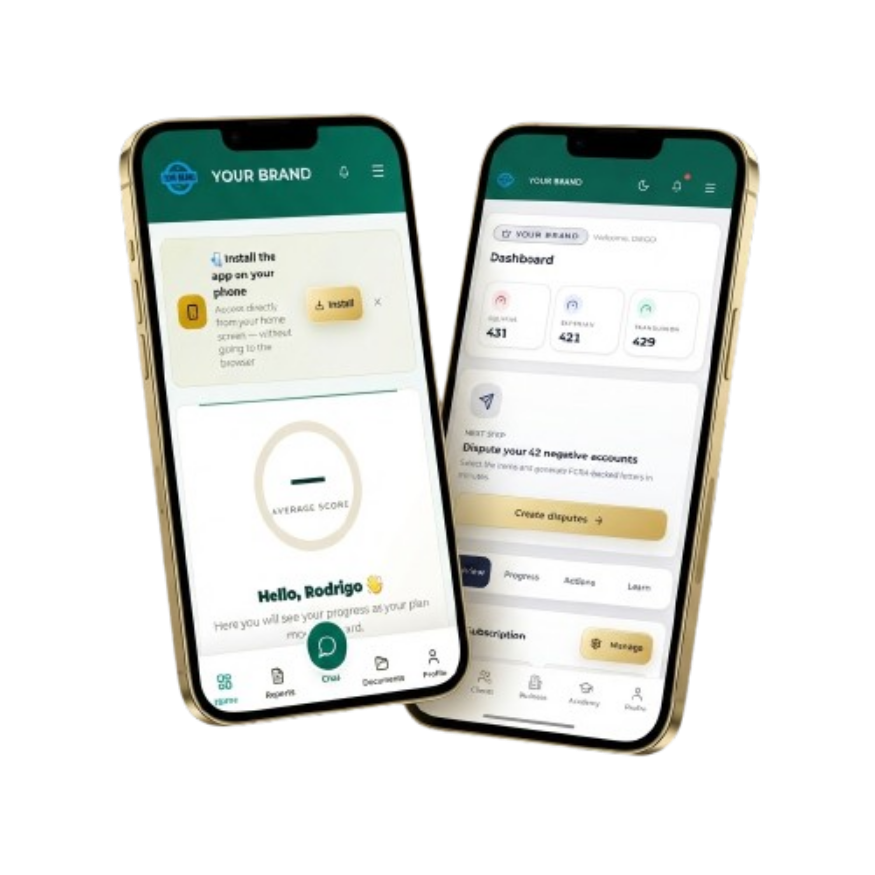
Your platform in your clients' pocket
Progressive web portal installable from supported browsers. Branding and available features depend on plan and device.
Notifications
Alerts when enabled
Progress
Review recorded data and activity
Protected access
Sign-in and security controls
Mobile PWA
Installable from supported browsers
Your mobile app, your brand
Your clients install your app in seconds. No App Store, no Play Store needed. Your logo, your colors — they see YOUR brand, not ours.
⚠️ Not available during the free trial period
Mobile features available by plan
How do your clients install the app?
1. Send the portal link from your CRM
2. Client opens the link on their phone
3. Taps "Add to Home Screen"
4. Done! App installed with your logo on screen
Installation and updates depend on browser compatibility and device settings.
MY DASHBOARD
Equifax
751
Experian
743
TransUnion
687
Avg Score
727
Total Deletions
14
Install in 4 simple steps
No App Store, no Play Store. Installs directly from the browser just like a native app.
iPhone / iPad (iOS)
Open Safari
Safari provides the Add to Home Screen option on iPhone and iPad.
Tap Share
Tap the share icon at the bottom bar of Safari.
"Add to Home"
Scroll and tap "Add to Home Screen".
Done!
The app appears on your screen with your coach's logo.
Android (Chrome)
Open Chrome
Open the link in Google Chrome on your Android device.
Menu (three dots)
Tap the three dots in the top-right corner.
"Add to screen"
Select "Add to Home Screen".
Installed!
Custom icon with your brand on the launcher.
Updates normally load from the web; behavior may vary by browser and cache.
Fix your credit or build your business — start today
The same tools for your personal process and for managing clients as a coach. Results vary.
No charge today · First charge on day 8 unless you cancel first